See the attacks your firewall can't stop.
Leverage the intrusion detection work of 290+ security centers — without the cost of running your own SOC. Discover what's really hitting your network, risk-free.
A Current Firewall & IPS Cyber Efficiency Report
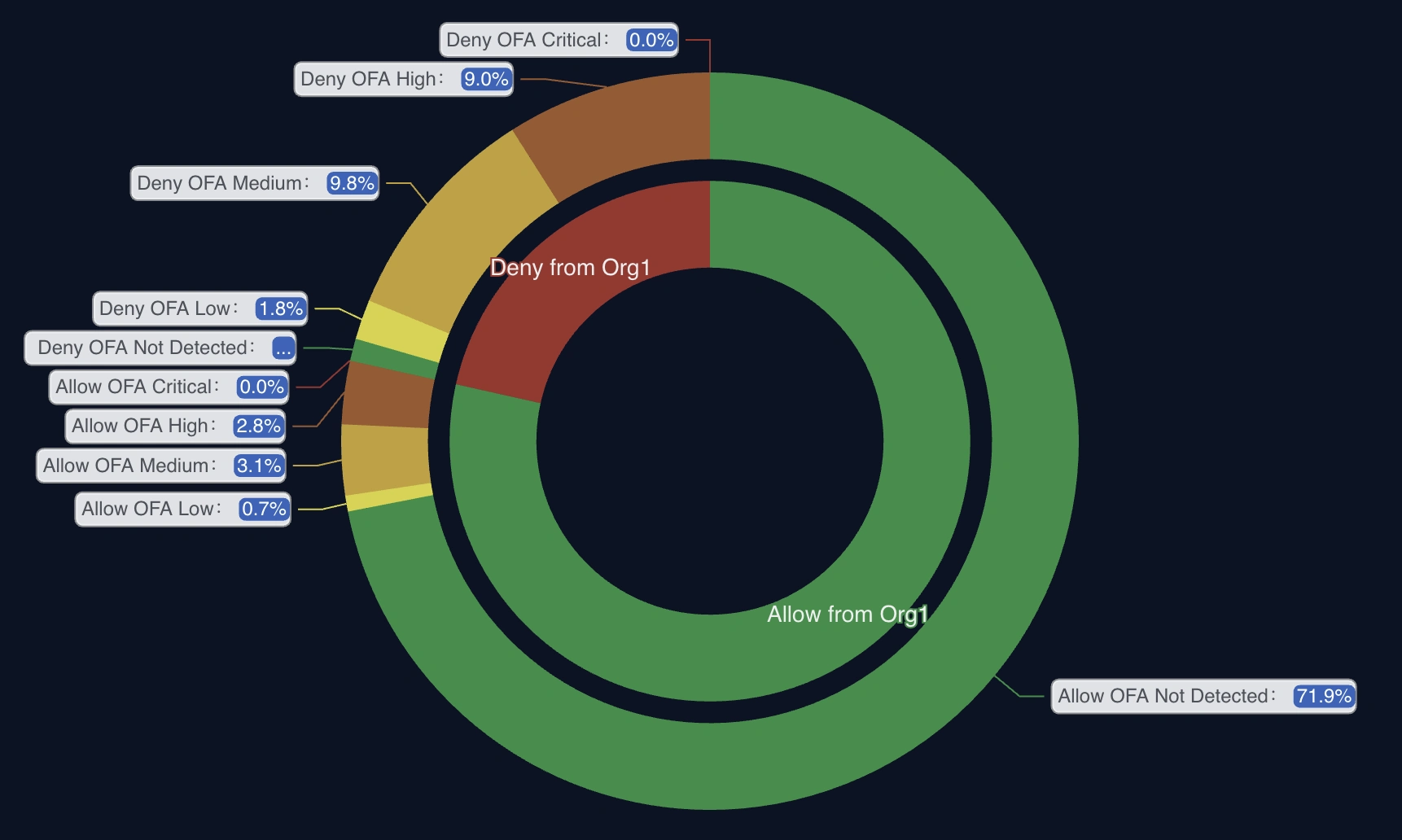
- A PDF summary with findings and your Crime Score
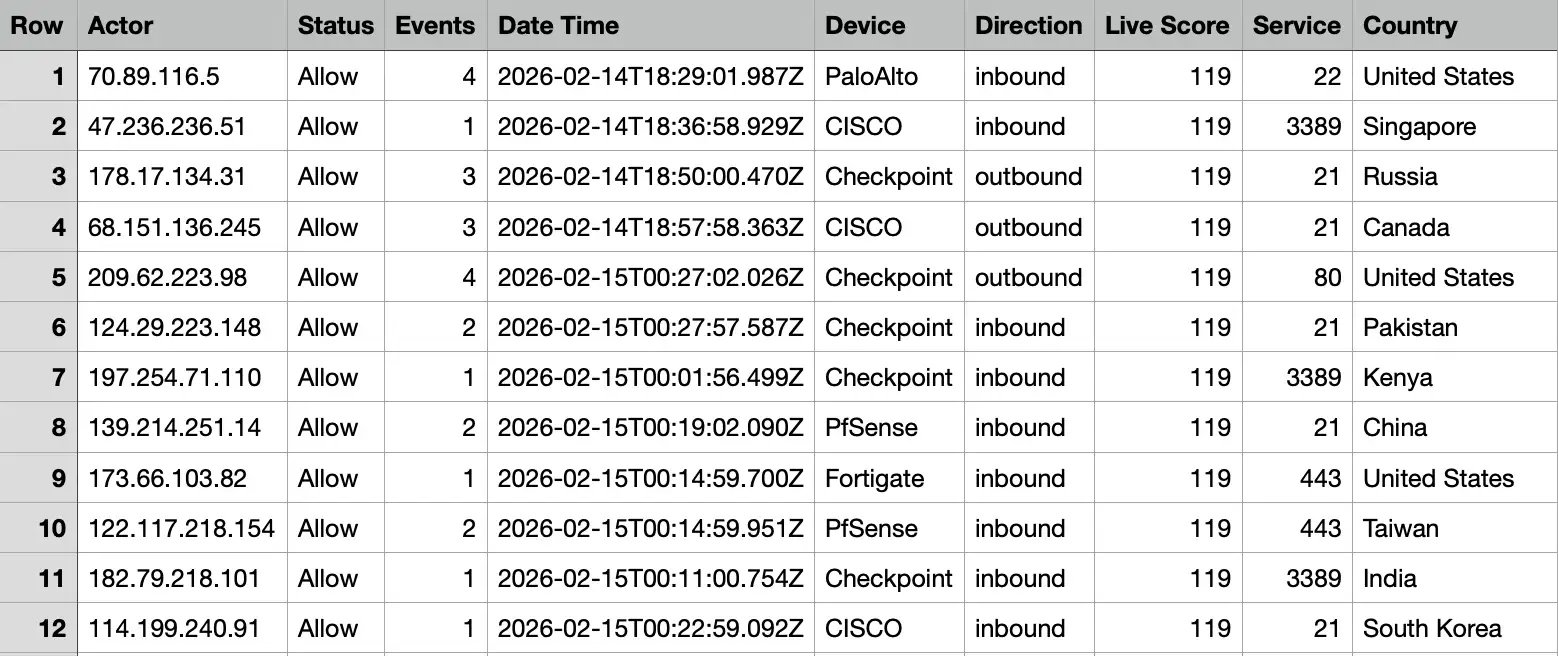
- A CSV file listing all detected attacks not currently blocked
- A cost-saving potential estimate for your environment
Once you submit the form, we’ll contact you within 24 hours to book a kick-off call. Not ready yet? Check a list of IPs from your logs first.
How the Proof of Value runs
We contact you
Within 24 hours, from the email address you gave us, to arrange a kick-off call.
Kick-off call
We scope the PoV with your team and agree which firewall logs to analyse.
A VM in your network
A containerised VM receives your firewall syslog. Analysis runs for about 10 days, and your logs stay on the VM.
Report and readout
You get the PDF summary, the CSV of allowed attacks and a cost-saving estimate, and we walk you through them.
What you need
- A VM host: min. 8 vCPU, 16 GB RAM, 300 GB disk, with Docker
- Someone who can point your firewall syslog (UDP 514) at the VM
- Outbound HTTPS (443) from the VM, to download alliance intelligence
- Nothing else: the PoV only reads logs and changes no firewall rules
After the PoV
- The report is yours to keep, whatever you decide
- There is no obligation to buy
- If you continue, we propose a plan for your environment and help you move from reporting to automatic blocking
What the Proof of Value actually does
A Virtual Machine running the OneFirewall platform analyses your edge traffic logs to detect malicious activity — on-premises or in your private cloud, with nothing sent externally.
Real-Time Detection
Identifies malicious actors attempting to penetrate your perimeter before damage occurs.
Comprehensive Visibility
Analyses edge traffic to provide complete insight into potential security threats.
Actionable Intelligence
Delivers real-time alerts and detailed reports on detected threats, enabling rapid response.
Risk-Free Evaluation
Deploy in your environment to assess effectiveness without long-term commitment.
In real time, during the PoV
Malicious connection attempts, scanning activity, brute-force attacks, exploitation attempts, suspicious outbound connections, and repeat attacker infrastructure already classified across the alliance — the attacks you're exposed to that aren't being blocked today, and how collective intelligence changes the outcome.
What actually lands in your inbox
The CSV — every allowed attack, itemised
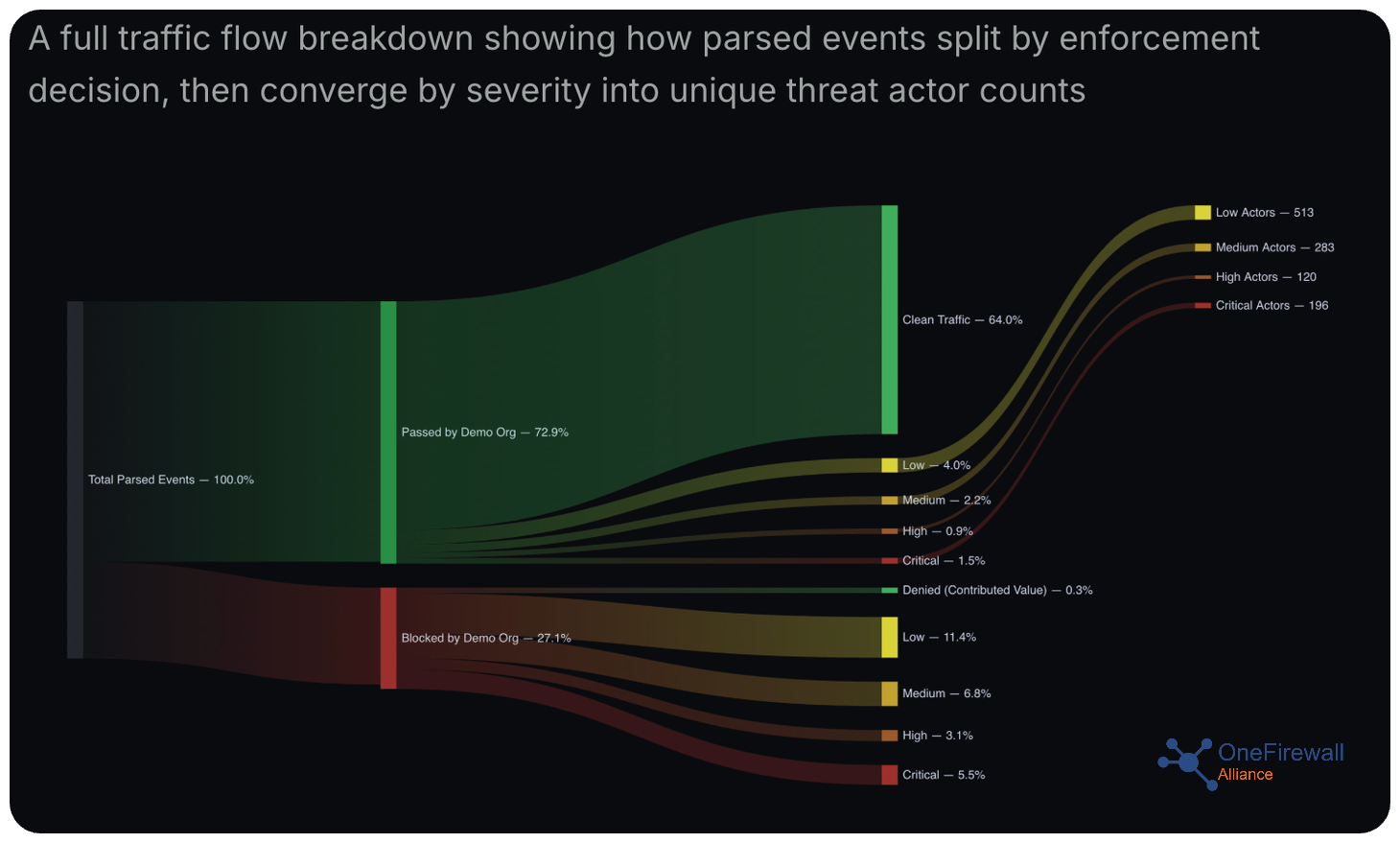
The PDF summary — allow/deny breakdown by severity
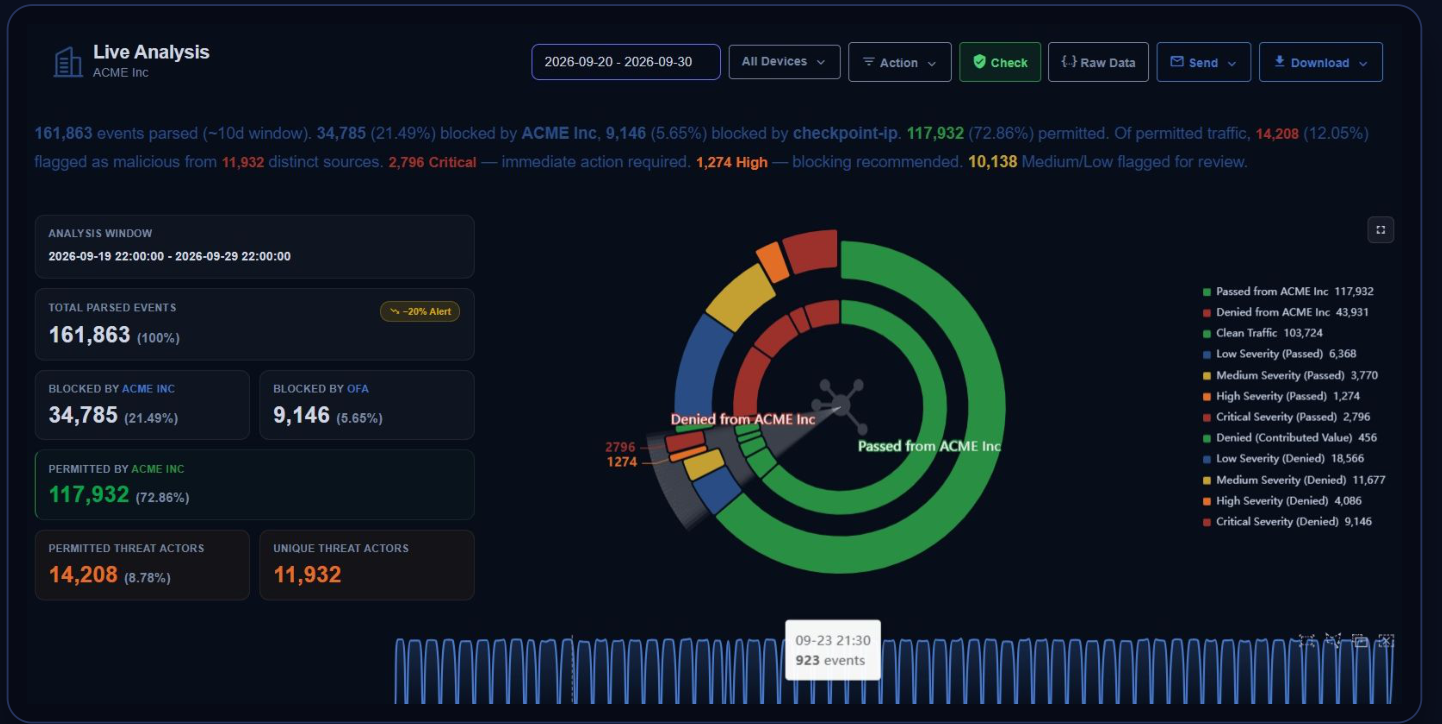
Live analysis of 10 days of customer traffic
161,863
Events analysed
72.86%
Traffic allowed by the customer's firewall
14,208
Malicious events in allowed traffic (12.05%)
2,796 · 1,274
Critical and High: immediate action and block recommended
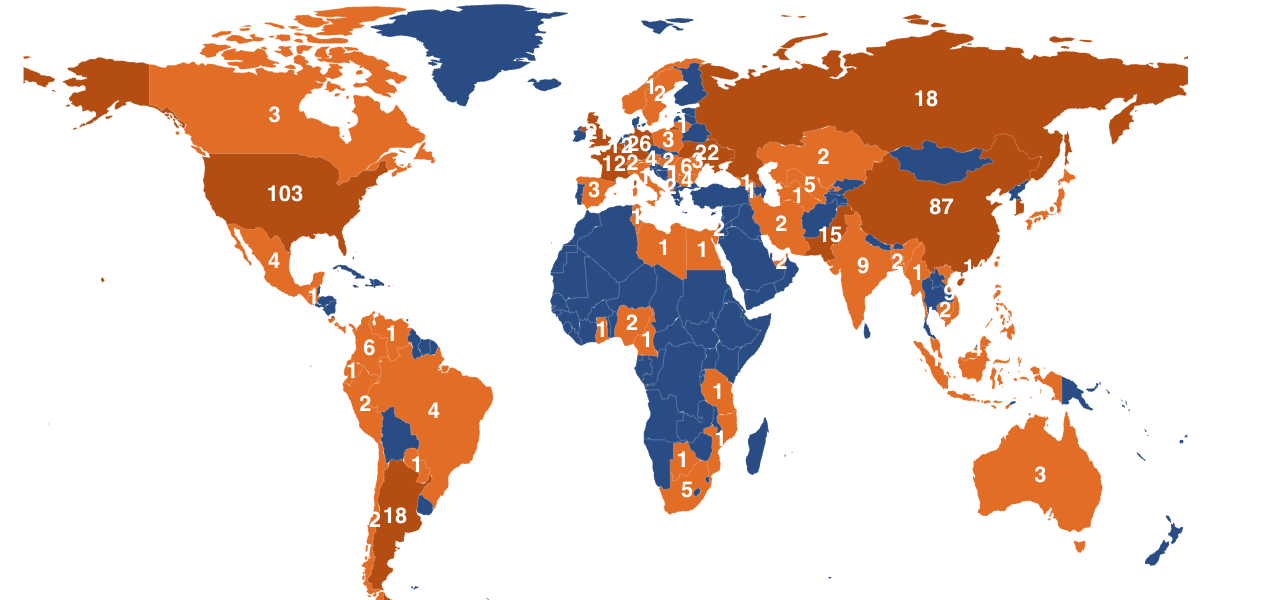
The same 10-day window, mapped by origin: attack traffic reaching this one customer's perimeter from over 70 countries — a reach no single organisation's own logs could show on their own.